About
DICOMファイルの中身を確かめたいとき、PCの前に戻らなくても、手元のiPhone・iPadで開いて見られる。MediScopeは、そのためのビューアです。
ファイルやCD-RのDICOMDIRからの取込と、PACSからの検索・取得に対応。ウィンドウの調整、シネ再生、マンモグラフィの2×2表示、GSPSの注釈、全タグの一覧まで、画像を「見て、確かめる」ための機能をそろえています。画像も設定も、端末の外へは出ません。
When you want to check what is inside a DICOM file, open it on the iPhone or iPad in your hand — no need to go back to a PC. That is what MediScope is for.
Import from files or DICOMDIR media, or search and retrieve from a PACS. Window adjustment, cine playback, a 2×2 mammography layout, GSPS annotations and a full tag list — everything you need to look at an image and verify it. Images and settings never leave your device.
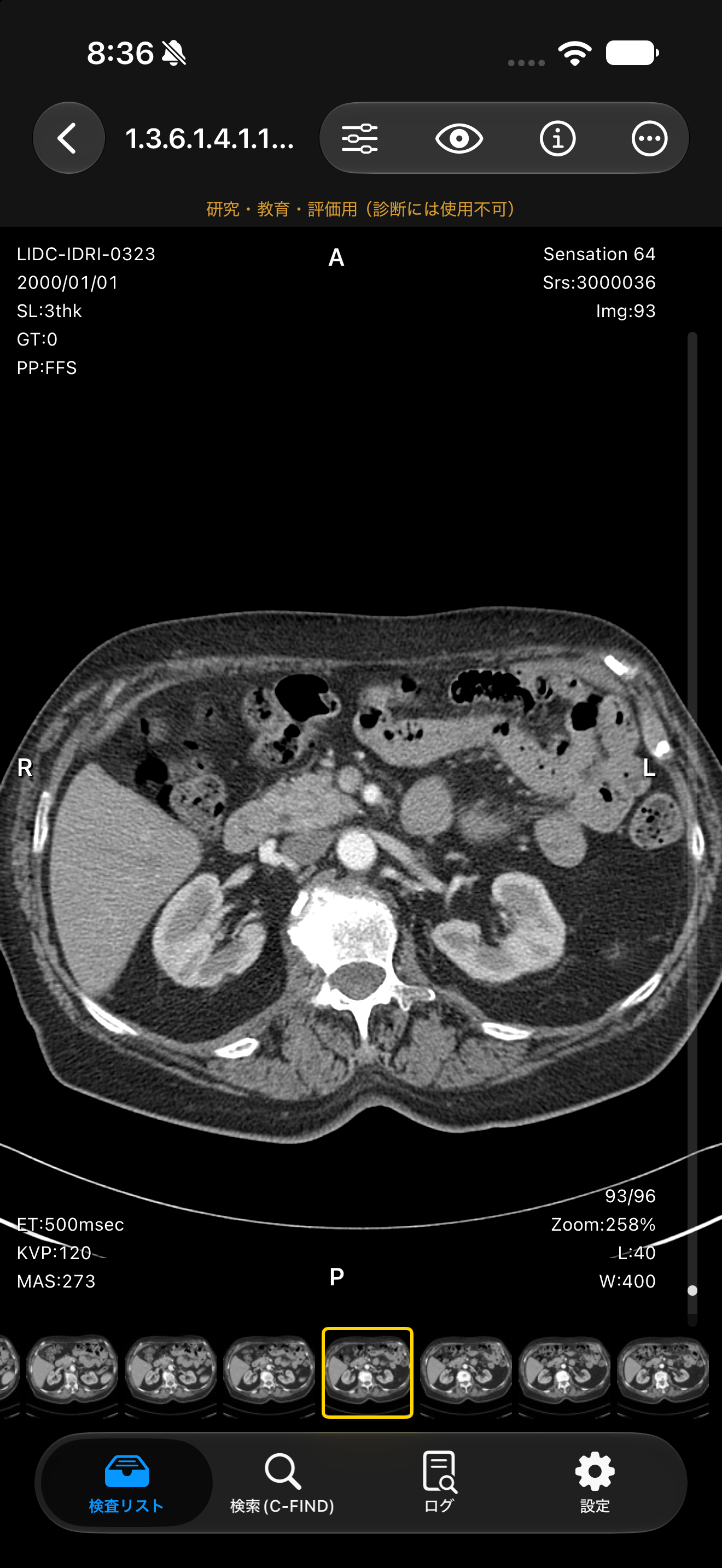
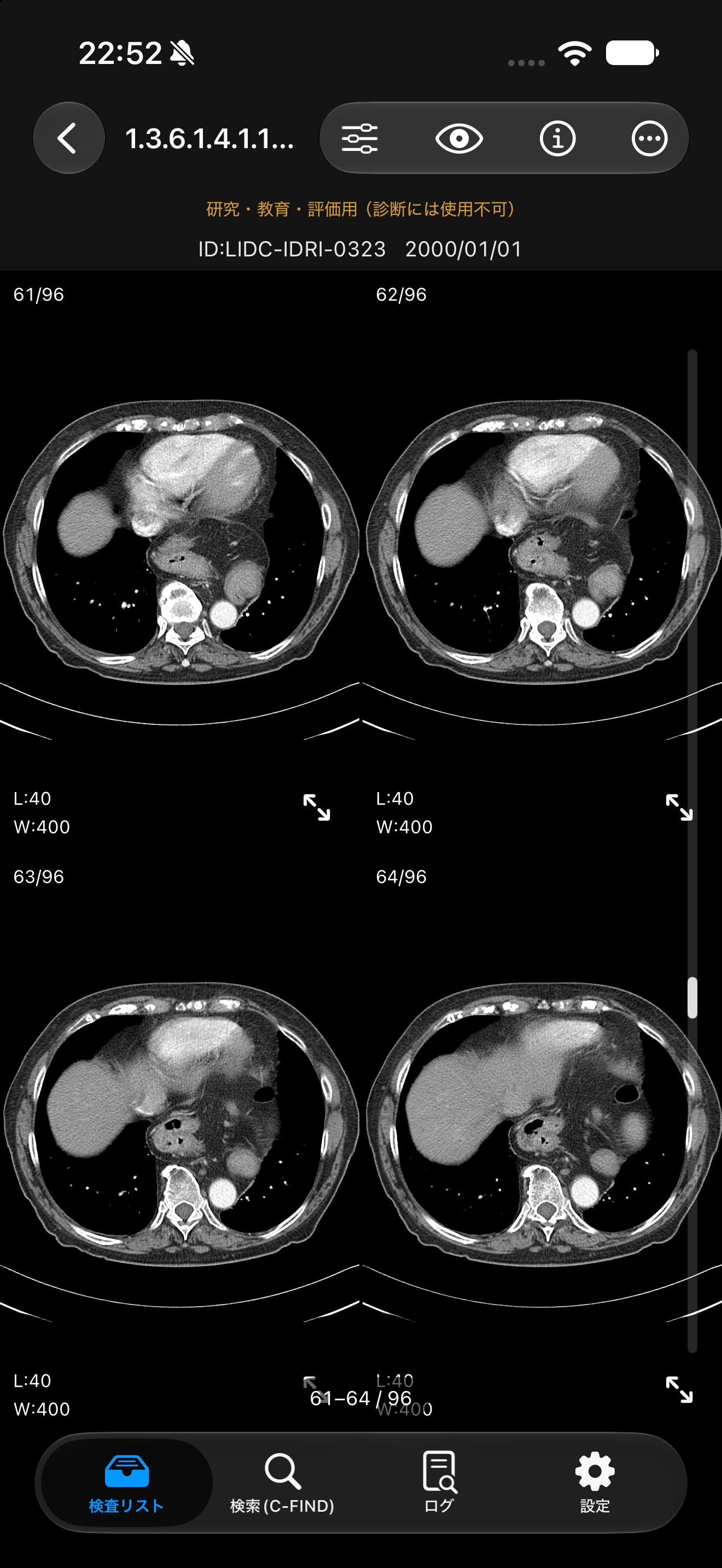
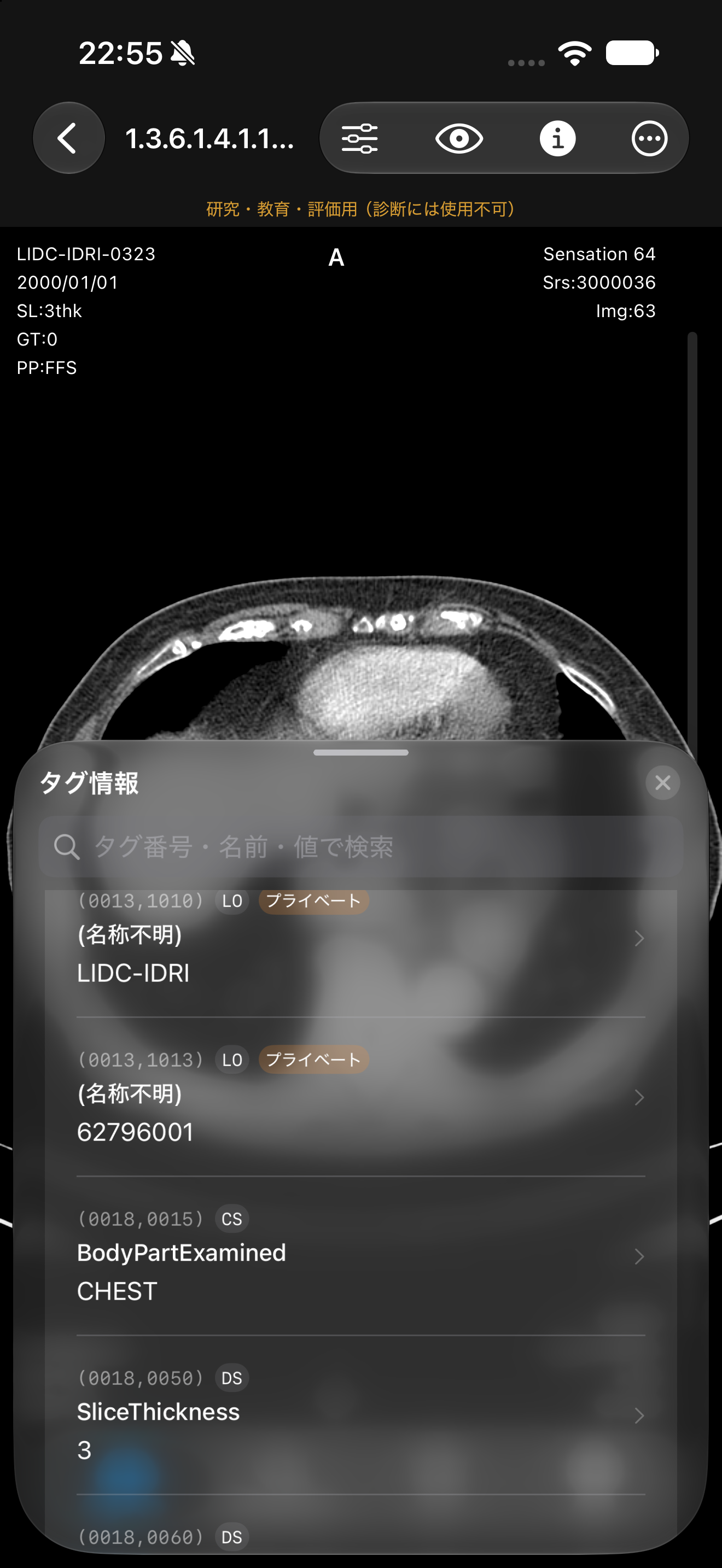
掲載しているスクリーンショットの画像は、The Cancer Imaging Archive(TCIA)の公開データです。胸部CTは LIDC-IDRI(Armato SG 3rd, et al. Med Phys 38:915-931, 2011。CC BY 3.0)を使用しています。TCIA: Clark K, et al. J Digit Imaging 26:1045-1057, 2013。 Images in the screenshots are from public datasets of The Cancer Imaging Archive (TCIA). The chest CT is from LIDC-IDRI (Armato SG 3rd, et al. Med Phys 38:915-931, 2011; CC BY 3.0). TCIA: Clark K, et al. J Digit Imaging 26:1045-1057, 2013.
こんな方におすすめWho It's For
医用画像を学ぶ学生Students of medical imaging
CT・MR・マンモグラフィなどの画像を、ウィンドウを変えたりタグを見たりしながら手元で学びたい。 Learn from CT, MR, mammography and other images at hand — adjusting the window and looking at the tags as you go.
医療ソフトウェアの開発・テストMedical software developers and testers
作ったDICOMファイルや、装置・PACSから出てきたデータが正しく表示されるかを、すぐに確かめたい。 Quickly check that DICOM files you create, or data coming from a modality or PACS, display correctly.
PACS・装置の導入担当PACS and modality integration staff
PACSへの接続(C-ECHO・C-FIND・C-GET・C-MOVE)と、届いた画像の中身を、その場で確認したい。 Check PACS connectivity (C-ECHO, C-FIND, C-GET, C-MOVE) and the images that arrive, right on the spot.
研究・評価Research and evaluation
公開データセットや研究用のデータを、iPhone・iPadで手軽に見たい。 Browse public datasets and research data easily on iPhone and iPad.
標準機能Standard Features
さまざまなモダリティの表示Many modalities
CT・MR・CR/DX・マンモグラフィ・超音波(カラー・マルチフレーム)など。JPEG・JPEG Lossless・RLE圧縮の画像も表示できます。 CT, MR, CR/DX, mammography, ultrasound (color and multi-frame) and more, including JPEG, JPEG Lossless and RLE compressed images.
ファイルからの取込Import from files
ファイル・フォルダ(サブフォルダを含む)・CD-RやUSBメモリのDICOMDIRから取り込めます。 Import from files, folders (including subfolders), and DICOMDIR on CD-R or USB media.
PACSからの検索・取得Search and retrieve from PACS
C-FINDで検査を検索し、C-GET・C-MOVEで取り込み。C-ECHOによる接続テストにも対応しています。 Search studies with C-FIND and retrieve them with C-GET or C-MOVE. C-ECHO connectivity tests are supported.
表示の操作Viewing controls
WW/WLの調整とCTのプリセット、拡大・回転・反転、シネ再生、シリーズ内のタイル表示、並び順の切り替え。 WW/WL adjustment and CT presets, zoom, rotate and flip, cine playback, tile view within a series, and sort order options.
マンモグラフィの2×2表示2×2 mammography layout
左右とCC・MLOを自動で判定してRCC・LCC・RMLO・LMLOに並べ、左右の胸壁を中央でそろえます。全タイルの連動にも対応。 Automatically arranges RCC, LCC, RMLO and LMLO by laterality and view, with the chest walls meeting in the middle. Tiles can be linked.
画像の情報Image information
四隅の情報表示(モダリティごとに編集可)、方向の文字、オーバーレイ、GSPSの注釈、全タグの一覧と検索。 Corner annotations (editable per modality), orientation labels, overlays, GSPS annotations, and a searchable list of all tags.
等倍・実寸の表示Actual-pixel and true-size display
画像の1画素を画面の1画素で見る等倍(1:1)と、画素間隔から実際の大きさで見る実寸(True Size)に切り替えられます。 Switch to actual pixels (1:1) or true size, which shows images at their physical size based on pixel spacing.
サンプル画像つきSample images included
PACSが無くても、公開データ(TCIA)のCT・MRのサンプルで、すぐに試せます。 Try it right away without a PACS, using sample CT and MR images from a public dataset (TCIA).
さらに広く使うならGoing Further
MediScope Pro
基本機能は無料で使えます。複数のPACSを使い分ける方や、たくさんの検査を手元に置きたい方のためのプランです。 The core features are free. Pro is for those who work with several PACS servers or want to keep many studies on hand.
PACSの接続先を複数登録Multiple PACS destinations
無料版は1件まで。Proでは複数の接続先を登録して切り替えられます。 The free version supports one destination. With Pro you can register and switch between several.
検査の件数の上限なしNo limit on stored studies
無料版で端末に置ける検査は10件まで。Proでは上限がありません。 The free version keeps up to 10 studies on the device. Pro removes the limit.
患者レベルの検索Patient-level search
PACSを患者単位で検索し、その患者の検査を一覧できます。 Search a PACS by patient and list that patient's studies.
¥100
月額per month
¥1,000
年額per year
Privacy & Security
- 利用者の情報(画像・患者情報・端末の情報・利用状況など)を、当方へ送信・収集しません。広告や解析、追跡もありません。 The app does not send or collect any of your information (images, patient information, device information or usage data). No advertising, analytics or tracking.
- 取り込んだ画像と設定は、端末の中だけに保存されます。 Imported images and settings are stored only on your device.
- 通信するのは、利用者が設定したPACSの接続先だけです。 The app communicates only with the PACS destinations you configure.
- Face ID・Touch ID・パスコードによるアプリロックに対応しています(初期設定は無効)。 App Lock with Face ID, Touch ID or passcode is available (disabled by default).
動作環境・サブスクリプションSystem Requirements & Subscription
動作環境: iOS / iPadOS 17.0以上、macOS 14.0以上(Apple M1チップ以降のMac) Requires iOS / iPadOS 17.0 or later, or macOS 14.0 or later on a Mac with Apple M1 chip or later
- MediScope Proは月額または年額の自動更新サブスクリプションです。 MediScope Pro is an auto-renewing monthly or annual subscription.
- 正式な価格は購入時にApp Store上で表示され、地域によって異なる場合があります。 The official price is shown on the App Store at the time of purchase and may vary by region.
- 支払いはApp Store経由で行われ、Apple IDアカウントに請求されます。 Payment is processed through the App Store and charged to your Apple ID account.
- 自動更新は、現在の期間終了24時間前までにオフにしない限り継続されます。 Auto-renewal continues unless turned off at least 24 hours before the end of the current period.
- 自動更新の管理・解約は、設定 > Apple ID > サブスクリプション から行えます。 You can manage or cancel auto-renewal in Settings > Apple ID > Subscriptions.
利用規約Terms of Service / プライバシーポリシーPrivacy Policy
本アプリは研究・教育・評価を目的としたものであり、薬機法上の医療機器ではありません。診断、治療その他の医療行為には使用しないでください。表示される画像・情報の正確さは保証しません。 This app is intended for research, education and evaluation; it is not a medical device under Japan's Pharmaceutical and Medical Device Act. Do not use it for diagnosis, treatment or any other medical purpose. The accuracy of the displayed images and information is not guaranteed.
Download
MediScopeはApp Storeから無料で入手できます。 MediScope is available for free on the App Store.
ご質問・ご要望は、下記メールアドレスまでご連絡ください。 For questions or requests, please contact us at the email address below.
contact@wisteria-lab.org