About
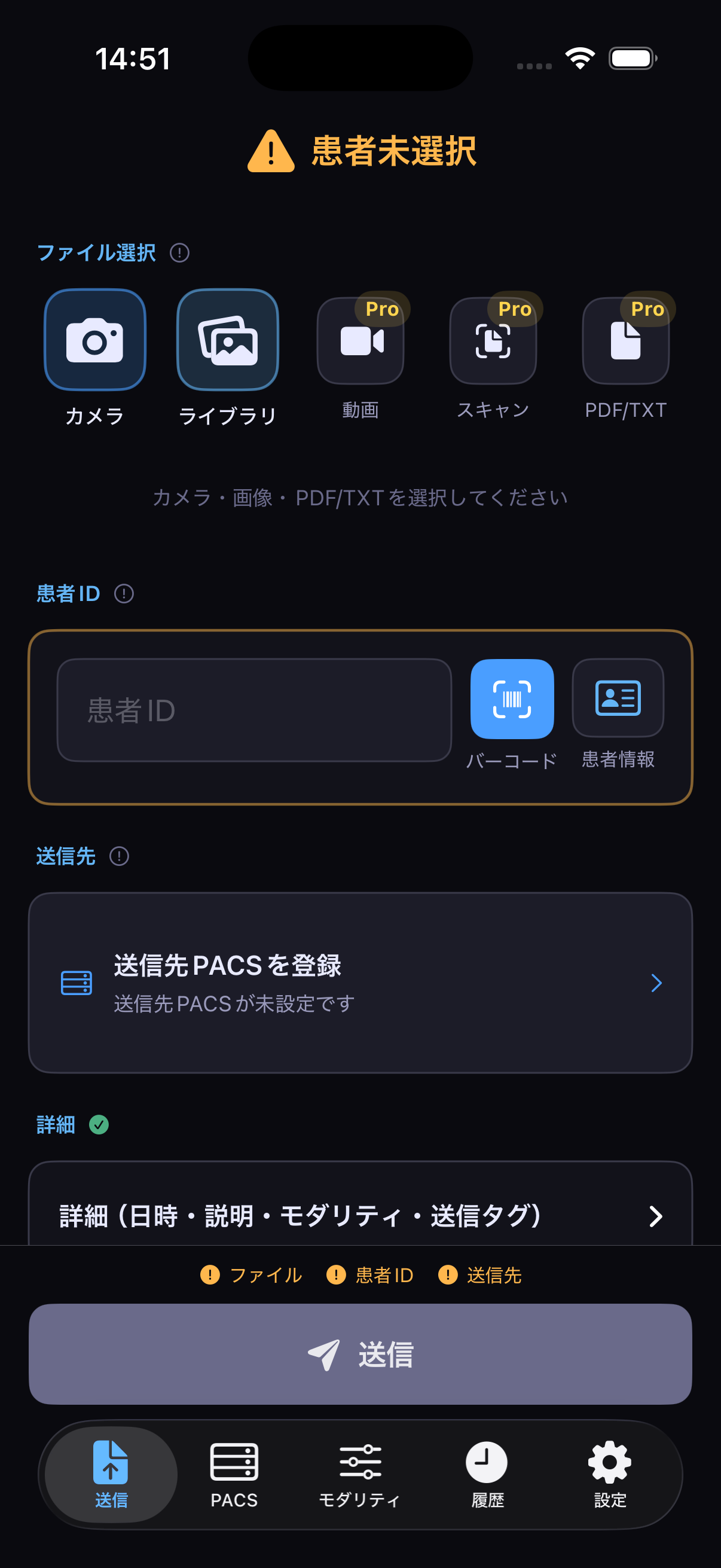
外来や往診で撮影した臨床写真を、専用カメラやPC、USB機器を介さずに院内PACSへ届ける。それだけのことに、これまでは余分な機器とひと手間が必要でした。
MediShotは、撮影・DICOM変換・PACS送信をアプリの中だけで完結させます。顔の自動ぼかし(De-identification)やアノテーション描画にも対応しており、患者プライバシーの保護と情報の視覚的整理を同時に行えます。
Getting a clinical photo taken in an outpatient clinic or on a house call into the hospital's PACS — without a dedicated camera, PC, or USB equipment — used to take extra hardware and an extra step.
MediShot completes capture, DICOM conversion, and PACS transmission entirely within the app. It also supports automatic face blurring (de-identification) and image annotation, so you can protect patient privacy and organize information visually at the same time.
こんな医療現場におすすめBuilt for These Workflows
皮膚科Dermatology
病変経過の記録を、電子カルテに正しく紐づけて管理したい。 Keep lesion-progress photos properly linked to the electronic medical record.
耳鼻咽喉科ENT (Otolaryngology)
内視鏡画像や口腔内写真を、診察室から素早くPACSへ登録したい。 Register endoscopy and oral-cavity photos to PACS quickly, right from the exam room.
在宅診療・訪問診療Home and House-Call Visits
診察先で撮影した画像を、その場でPACSへ送信したい。 Send images taken on-site straight to PACS, on the spot.
歯科・形成外科Dentistry and Plastic Surgery
モバイル端末で撮った画像を、ひとつのシリーズとして整理したい。 Organize photos taken on a mobile device into a single series.
標準機能Standard Features
画像のDICOM変換・送信Image DICOM conversion and transmission
JPEG / PNG / HEIC画像をDICOMフォーマットへ変換し、PACSへC-STORE送信できます。 Convert JPEG, PNG, or HEIC images to DICOM format and send them to PACS via C-STORE.
患者情報の入力Patient information entry
患者ID・氏名・性別・生年月日を入力可能。バーコード読み取りにも対応。 Enter patient ID, name, sex, and date of birth, with barcode scanning support.
PACS接続テストPACS connectivity test
C-ECHOによる疎通確認に対応しています。 Verify connectivity with a C-ECHO test.
モダリティプリセットModality presets
よく使う撮影部位・モダリティ種別をプリセット保存(最大3件)。 Save up to 3 presets for frequently used body parts and modality types.
送信タグのカスタマイズCustom send tags
施設名・ステーション名・操作者名をPACSごとに設定可能です。 Set institution name, station name, and operator name per PACS destination.
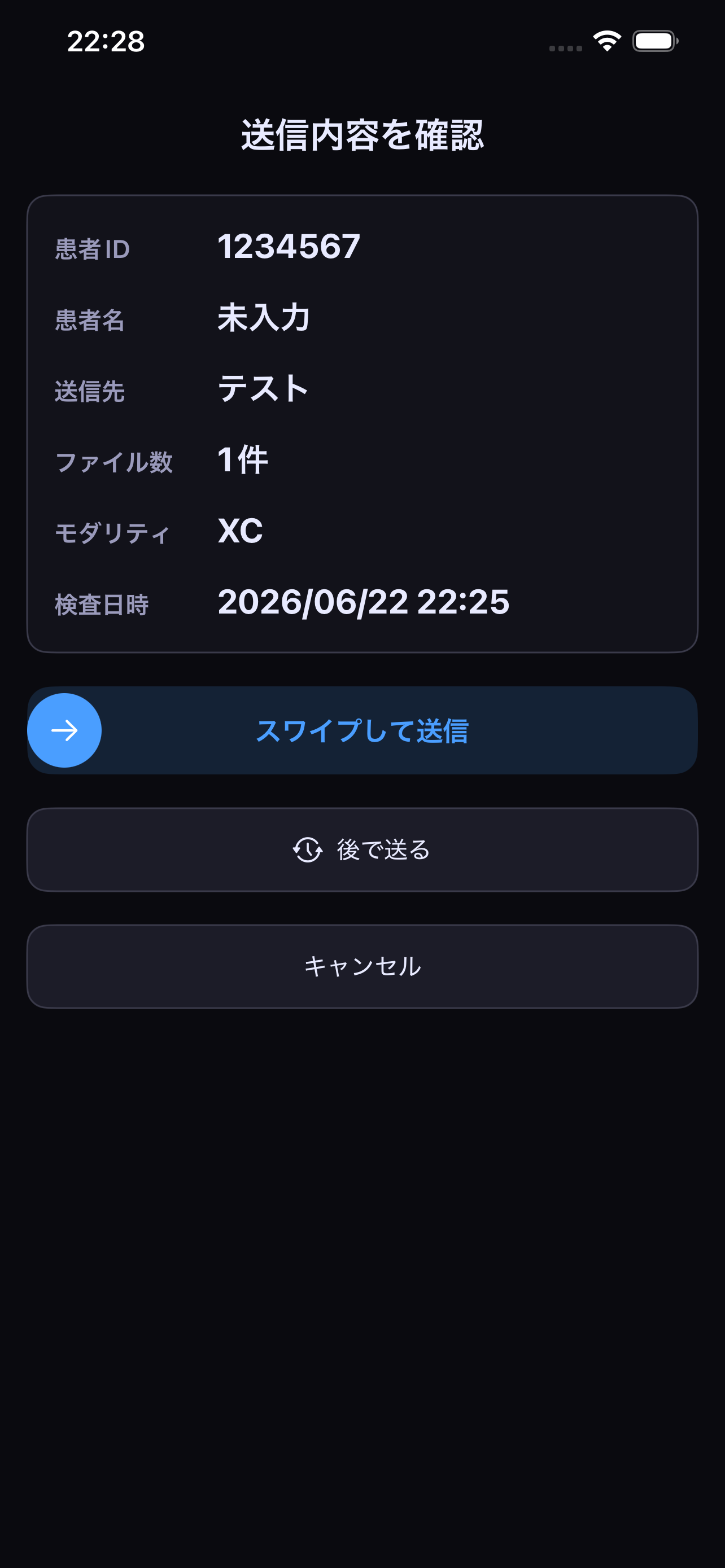
送信履歴・ログSend history and logs
過去の送信記録を確認可能。DICOM通信ログの詳細表示にも対応。 Review past send records, with detailed DICOM communication log views.
さらに踏み込んだ運用へFor More Advanced Workflows
MediShot Pro
プライバシー保護、記録の視覚的整理、監査対応まで。より踏み込んだ運用が必要な現場のための機能です。 From privacy protection to visual organization of records and audit support — features for workflows that need to go further.
顔の自動ぼかし(De-identification)Automatic face blurring (de-identification)
撮影した画像から顔を自動検出し、ぼかし処理を適用してからDICOM送信できます。患者プライバシーの保護が必要な場面にご活用いただけます。 Automatically detect faces in captured images and apply blurring before DICOM transmission — useful whenever patient privacy needs extra protection.
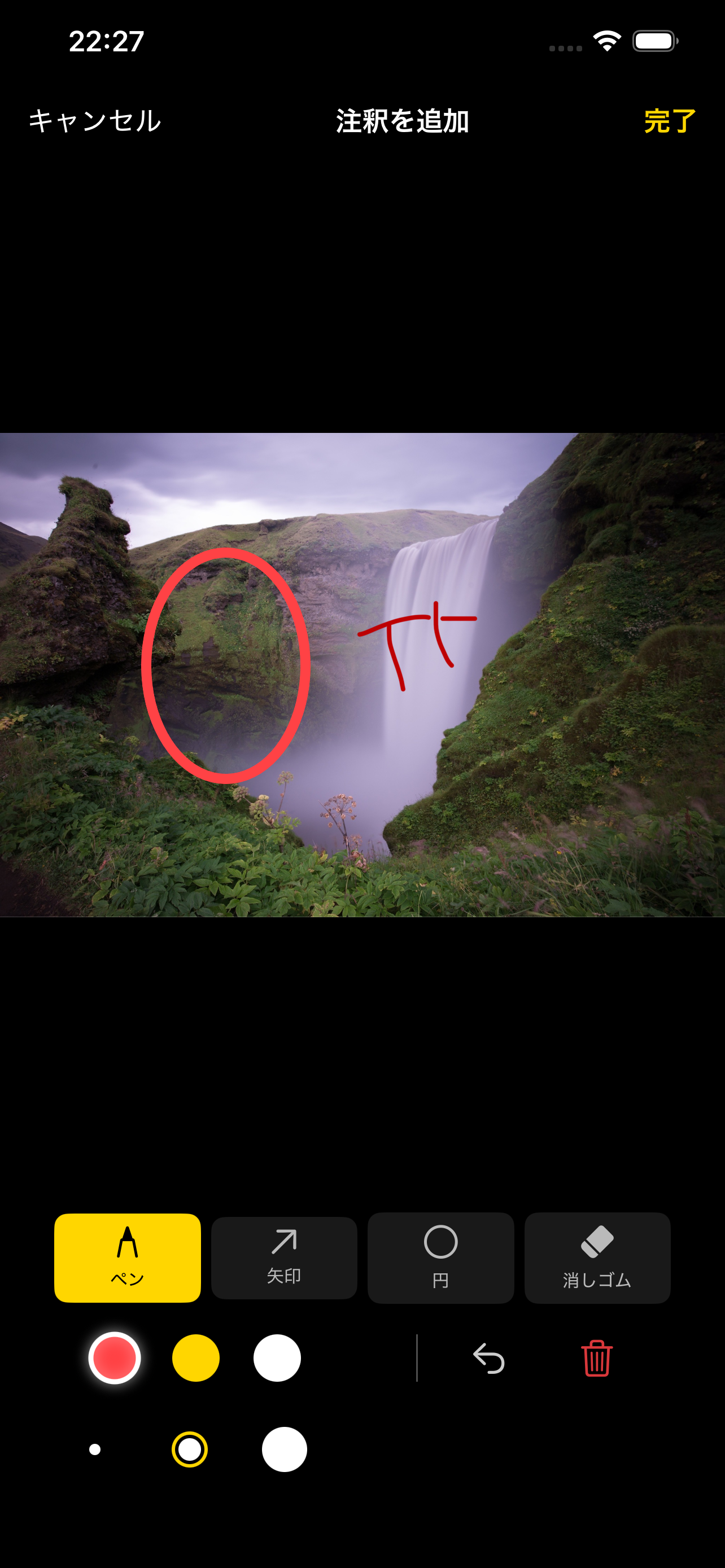
画像アノテーションImage annotation
送信前に画像へ矢印・円・テキストを描き込んでからDICOM送信できます。4色・3段階の太さ・消しゴム・取り消しに対応し、病変部位のマーキングや術前説明の記録に活用できます。 Draw arrows, circles, and text onto an image before sending it as DICOM. With 4 colors, 3 line weights, an eraser, and undo, it's useful for marking lesions or recording pre-operative explanations.
動画・PDF・書類スキャン送信Video, PDF, and document scan transmission
動画(最大30秒・5本/送信)はマルチフレームDICOM、PDFはEncapsulated PDFとして送信。Live PhotoはCine動画として送信可能。書類スキャンはマルチページPDFに変換して送信し、それぞれ別シリーズとして整理されます。 Videos (up to 30 seconds, 5 per send) are sent as multi-frame DICOM, and PDFs as Encapsulated PDF. Live Photos can be sent as cine video. Document scans are converted to multi-page PDFs before sending — each organized into its own series.
他アプリからの共有Sharing from other apps
写真Appやファイル共有から「MediShotへ送る」で取り込み可能です(Share Extension)。 Import directly from the Photos app or file sharing via "Send to MediShot" (Share Extension).
MWM(Modality Worklist)接続MWM (Modality Worklist) connection
ワークリストサーバから患者情報を取得し、撮影オーダーに紐付けて送信できます。 Retrieve patient information from a worklist server and link it to the imaging order before sending.
送信予約Scheduled sending
後から送信できる送信キュー機能。Wi-Fi接続時のみ・充電中のみといった条件を指定して予約できます。 A send queue that lets you send later, with conditions such as Wi-Fi-only or charging-only.
監査ログCSVエクスポートAudit log CSV export
送信履歴を一覧CSVとしてエクスポートできます(患者ID・送信日時・件数・結果など14項目)。施設の記録管理・インシデント調査対応にご活用いただけます。 Export send history as a CSV covering 14 fields, including patient ID, send time, item count, and result — useful for institutional record-keeping and incident investigation.
上限解放Higher limits
PACS送信先10件(無料版は1件)、モダリティプリセット10件(無料版は3件)、1回の送信枚数50枚(無料版は5枚)に加え、ステーション名・操作者名の候補も複数登録できます。 Up to 10 PACS destinations (vs. 1 on the free plan), 10 modality presets (vs. 3), and 50 items per send (vs. 5) — plus multiple saved station names and operator names.
¥1,000
月額per month
¥10,000
年額per year
Privacy & Security
- 患者情報は、送信履歴や通信ログの保存を有効化した場合のみデバイス内へ保存されます。 Patient information is stored on the device only if you enable saving of send history or communication logs.
- 保存されたデータは、Face ID / Touch IDによるアプリ保護機能でアクセス制限できます(初期設定は無効)。 Saved data can be access-restricted using the app's Face ID / Touch ID protection (disabled by default).
- 通信先として設定されたPACS以外のクラウドサービス等へ、画像・患者情報を自動送信することはありません。 Images and patient information are never automatically sent to any cloud service other than the PACS destination you configure.
- SwiftData File Protectionを利用したデータ保護を行っています。 Data is protected using SwiftData File Protection.
- DICOM通信ログはデフォルトで保存無効です。 DICOM communication logs are disabled by default.
動作環境・サブスクリプションSystem Requirements & Subscription
動作環境: iOS 17.6以上 Requires iOS 17.6 or later
- MediShot Proは月額または年額の自動更新サブスクリプションです。 MediShot Pro is an auto-renewing monthly or annual subscription.
- 正式な価格は購入時にApp Store上で表示され、地域によって異なる場合があります。 The official price is shown on the App Store at the time of purchase and may vary by region.
- 支払いはApp Store経由で行われ、Apple IDアカウントに請求されます。 Payment is processed through the App Store and charged to your Apple ID account.
- 自動更新は、現在の期間終了24時間前までにオフにしない限り継続されます。 Auto-renewal continues unless turned off at least 24 hours before the end of the current period.
- 自動更新の管理・解約は、設定 > Apple ID > サブスクリプション から行えます。 You can manage or cancel auto-renewal in Settings > Apple ID > Subscriptions.
利用規約Terms of Service / プライバシーポリシーPrivacy Policy
本アプリは、医療機関内のPACSへの画像送信を補助する業務支援ツールであり、薬機法上の医療機器ではありません。 This app is an operational-support tool that assists with sending images to a PACS within a medical institution; it is not a medical device under Japan's Pharmaceutical and Medical Device Act.
Download
MediShotはApp Storeから入手できます。 MediShot is available on the App Store.
ご質問・導入相談は、下記メールアドレスまでご連絡ください。 For questions or to discuss adoption, please contact us at the email address below.
contact@wisteria-lab.org